Manual contributions are reviewed and added to the shared FitPeak food list.

A DavasApps product
FitPeak
Keep your wellness goals together on one screen.
FitPeak is a Turkish wellness assistant that brings nutrition, calorie, macro, exercise and hydration tracking into your daily routine. Its Turkish cuisine database and AI-assisted entry make everyday logging faster.
Calorie and nutrition values are provided for information only and are not a substitute for medical advice.
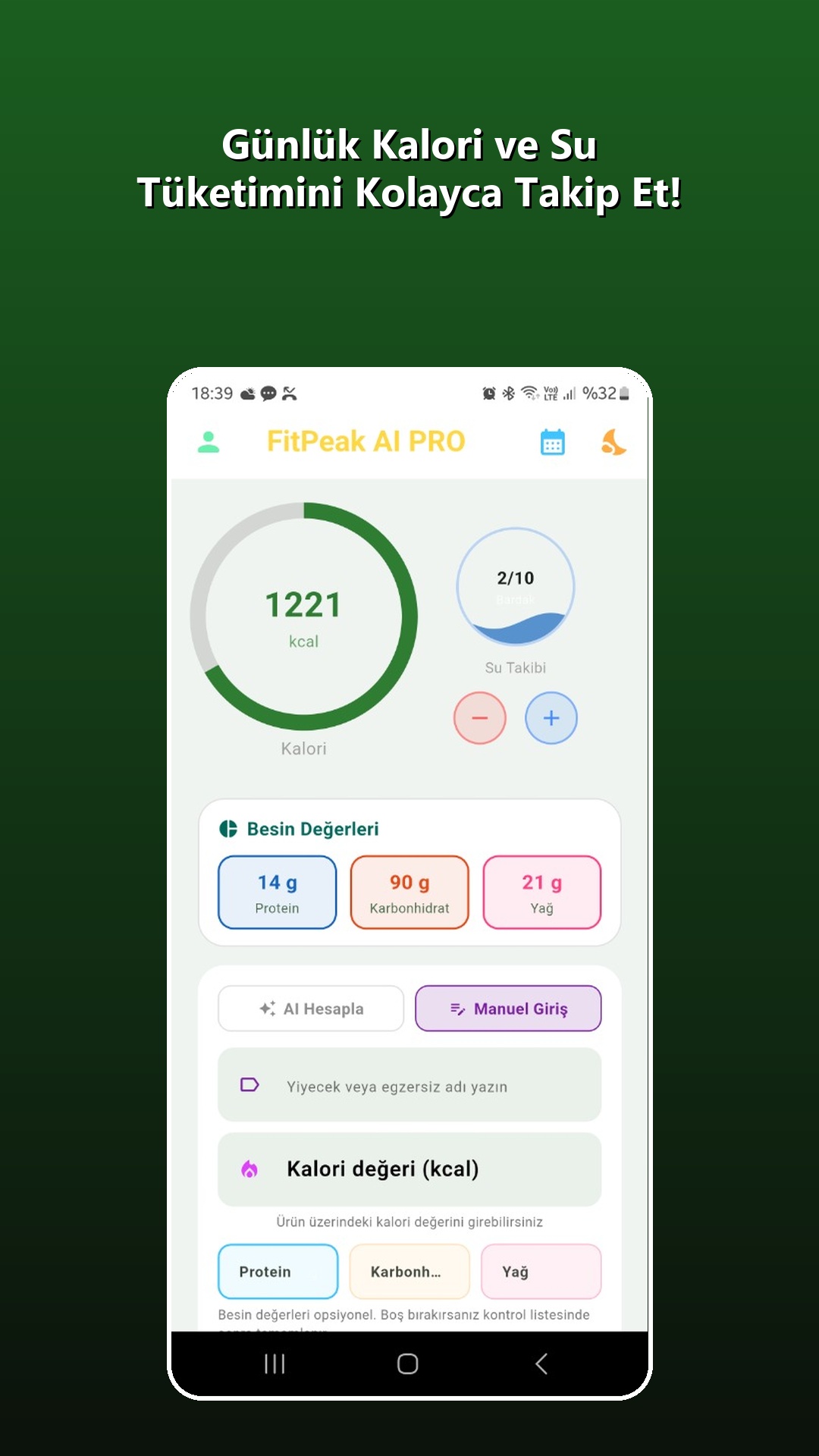
Follow your daily protein, carbohydrate and fat totals.
Log water and physical activity from the same dashboard.
See your progress through daily summaries and weekly charts.
Quick start
Start using FitPeak in four steps.
The details you provide during setup are used to calculate your daily energy needs and personal goals. You can update them later from the profile screen.
Create your profile
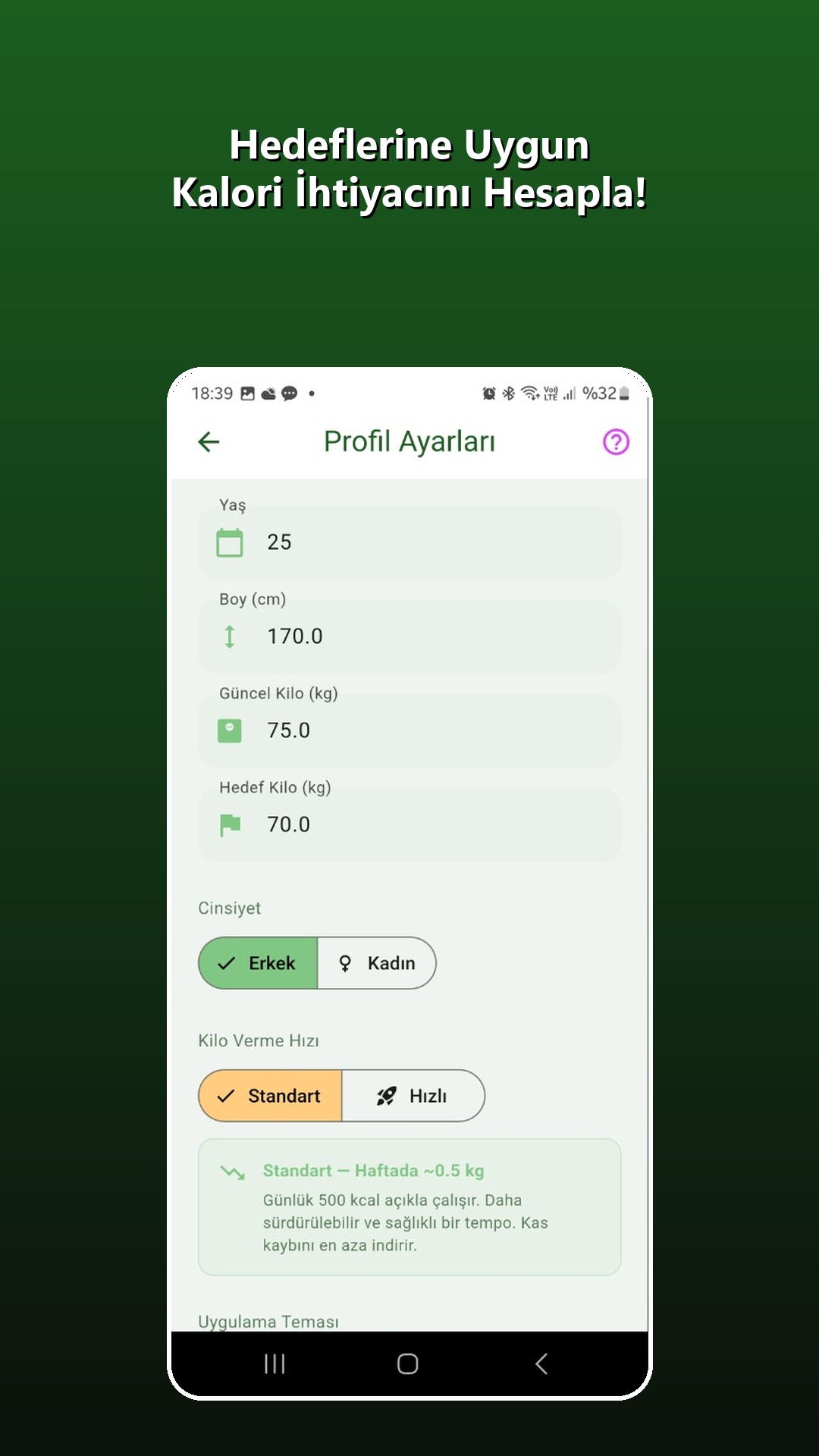
Enter your age, height, current weight, target weight and hydration goal.
Choose your pace
Select a standard or faster weight-loss pace to calculate a personal calorie target.
Add your first entry
Search for a meal with AI or enter its calories and macros manually.
Complete your day
Add hydration and exercise records, then review your daily report.
Daily use
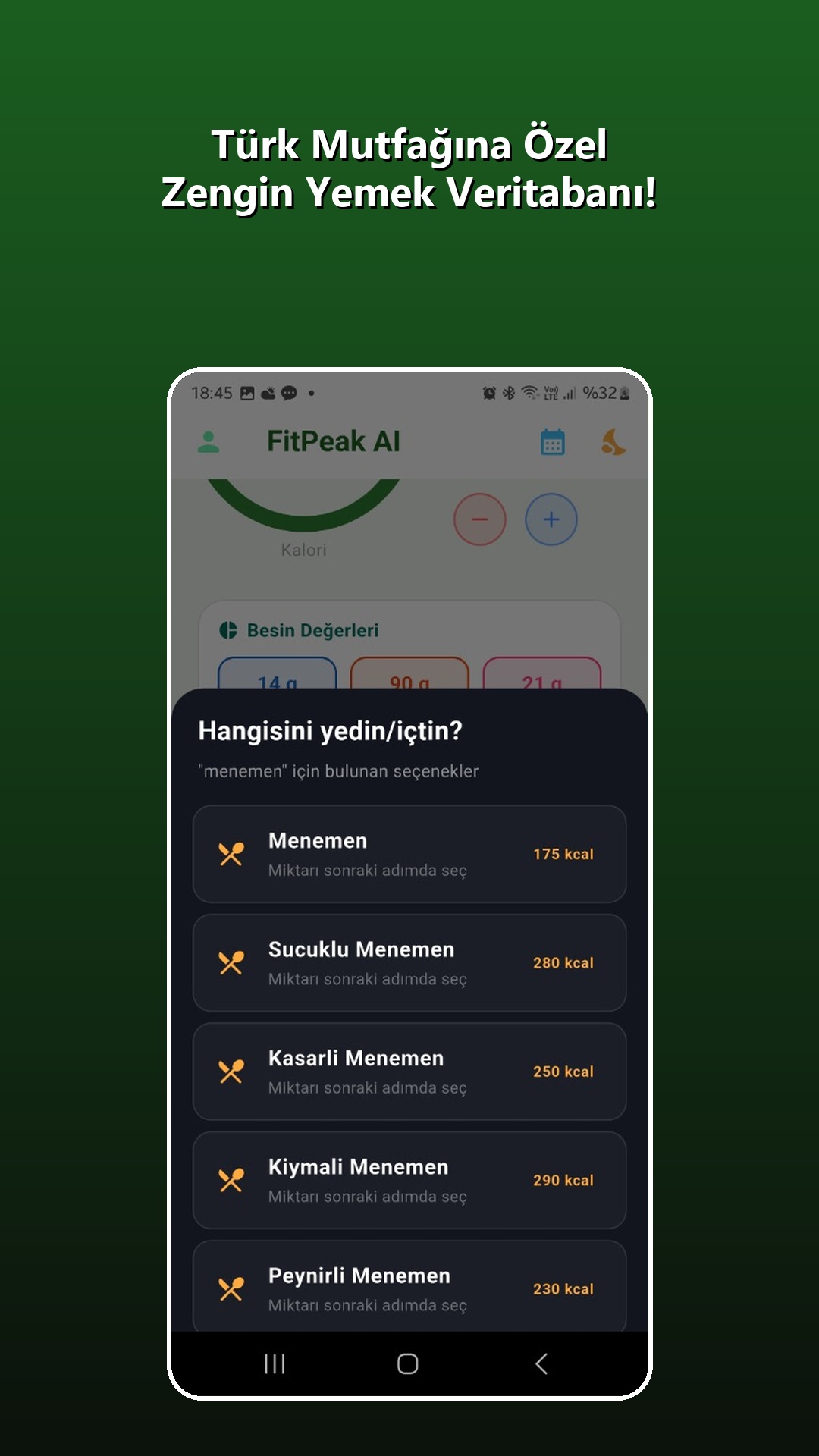
Describe what you ate and choose the right result.
Enter “menemen”, “two slices of bread” or a similar phrase. FitPeak presents matching foods and serving options; once you choose one, its calories and macros are added to your day.
NutritionSearch with AI or manually enter calories, protein, carbohydrates and fat.
ExerciseSelect an activity and intensity to record estimated calories burned.
HydrationUse the plus and minus controls on the dashboard to update your glass count.
The living side of FitPeak
As you use FitPeak, you improve more than your own day.
When you add a missing food through Manual Entry, it becomes available in your own daily tracking immediately. Contributions from signed-in users are also sent to a shared review queue. After calories and macros are checked and corrected when needed, approved foods join FitPeak's shared food list.
Enter the food name, calories and, when available, protein, carbohydrate and fat values.
The entry works in your own tracking immediately; missing macros can be completed later.
The name, calorie value and macro consistency are reviewed and corrected if necessary.
Once approved, the food joins the FitPeak database for the whole community to use.
FitPeak is not a static list. It is a living food database that grows through the real foods and contributions of its users.
See your progress
Close the day. Understand the week.
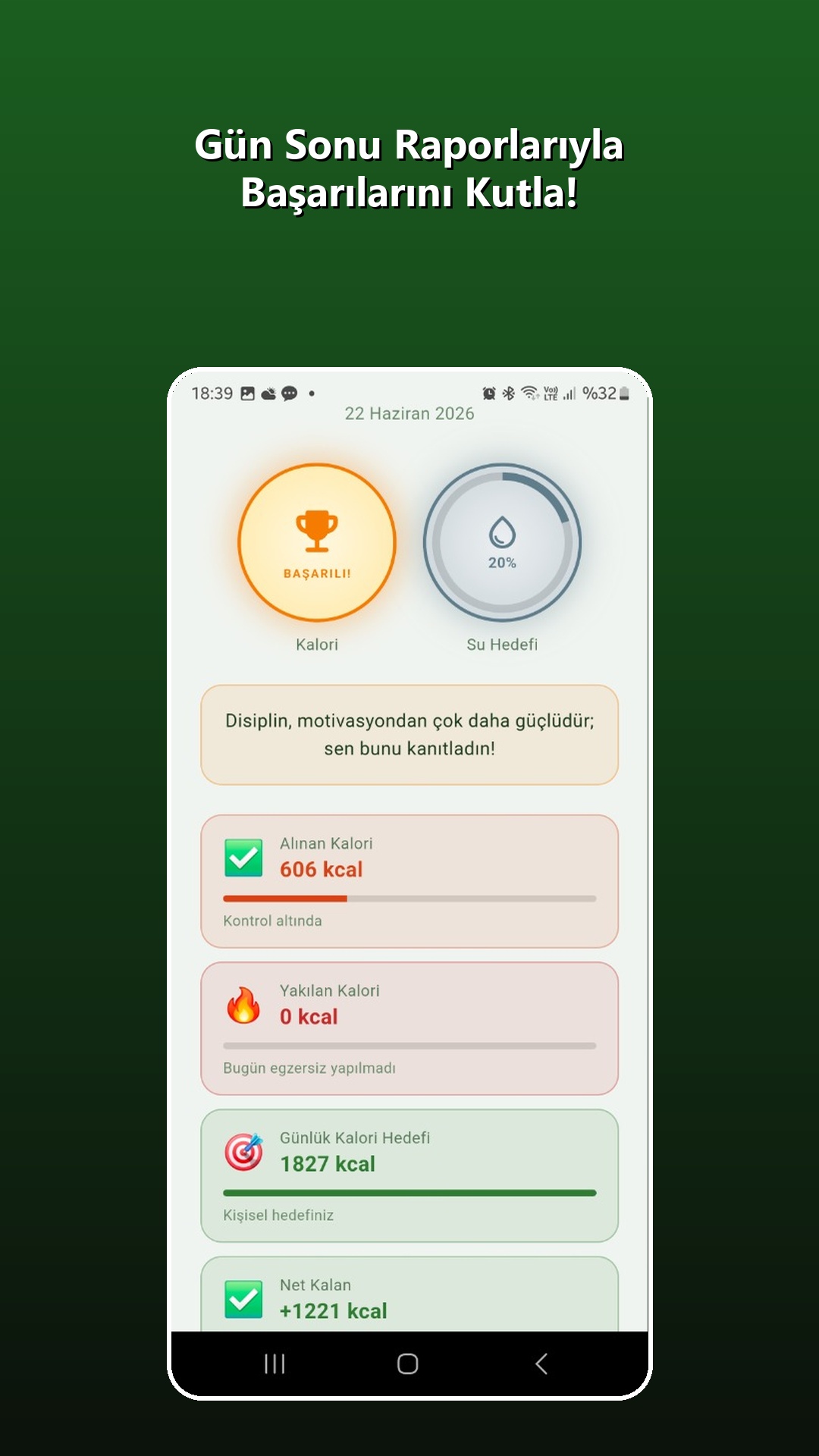
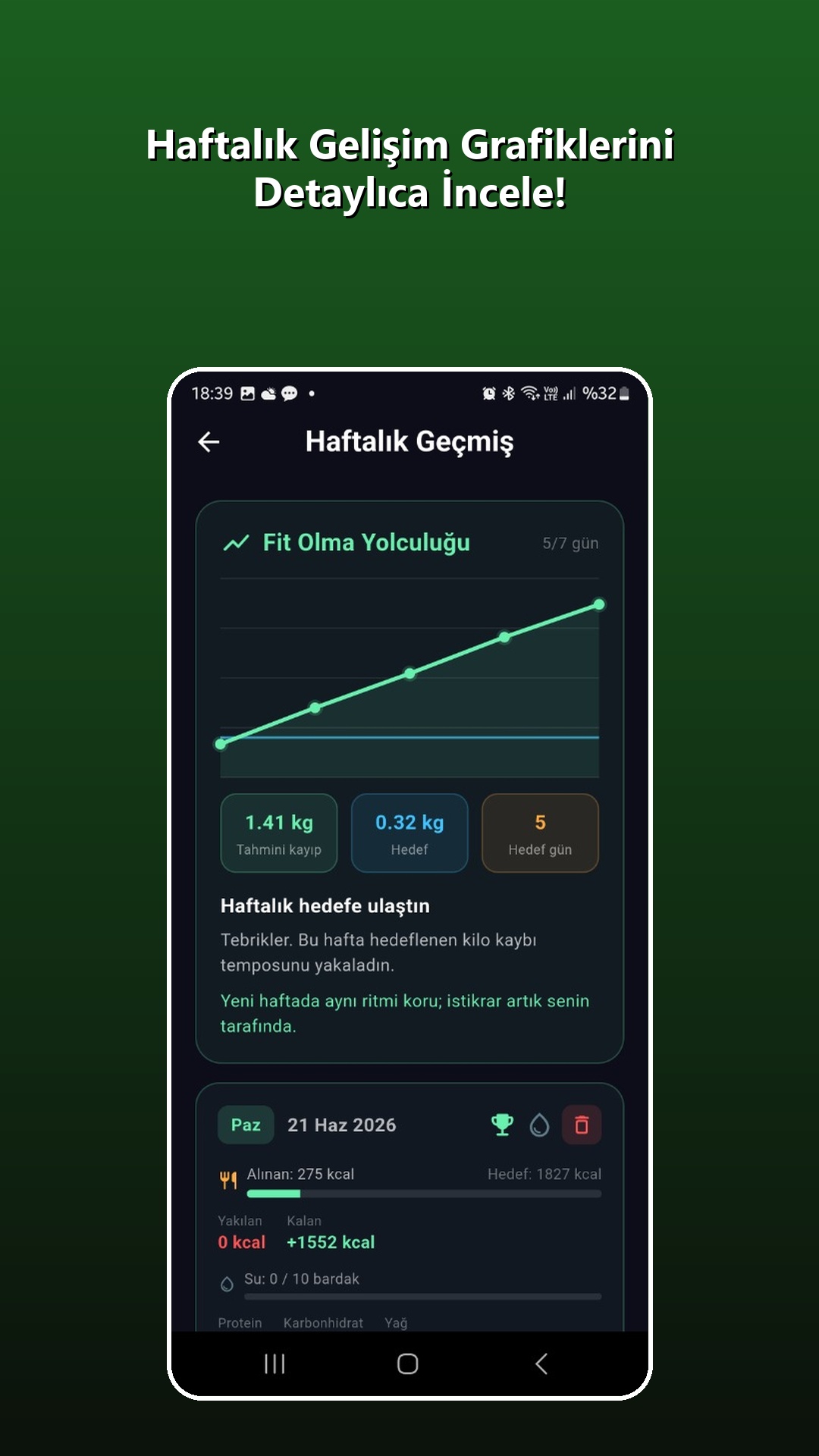
The daily report summarizes calorie balance, hydration goals and macros. Weekly history helps you see consistency and estimated progress.
Built around you
Update your goals whenever you need to.
From the profile screen you can change age, height, weight, target weight, weight-loss pace, hydration goal and light or dark theme. Updated values are reflected in your daily targets.
FitPeak PRO
Continue tracking without interruptions.
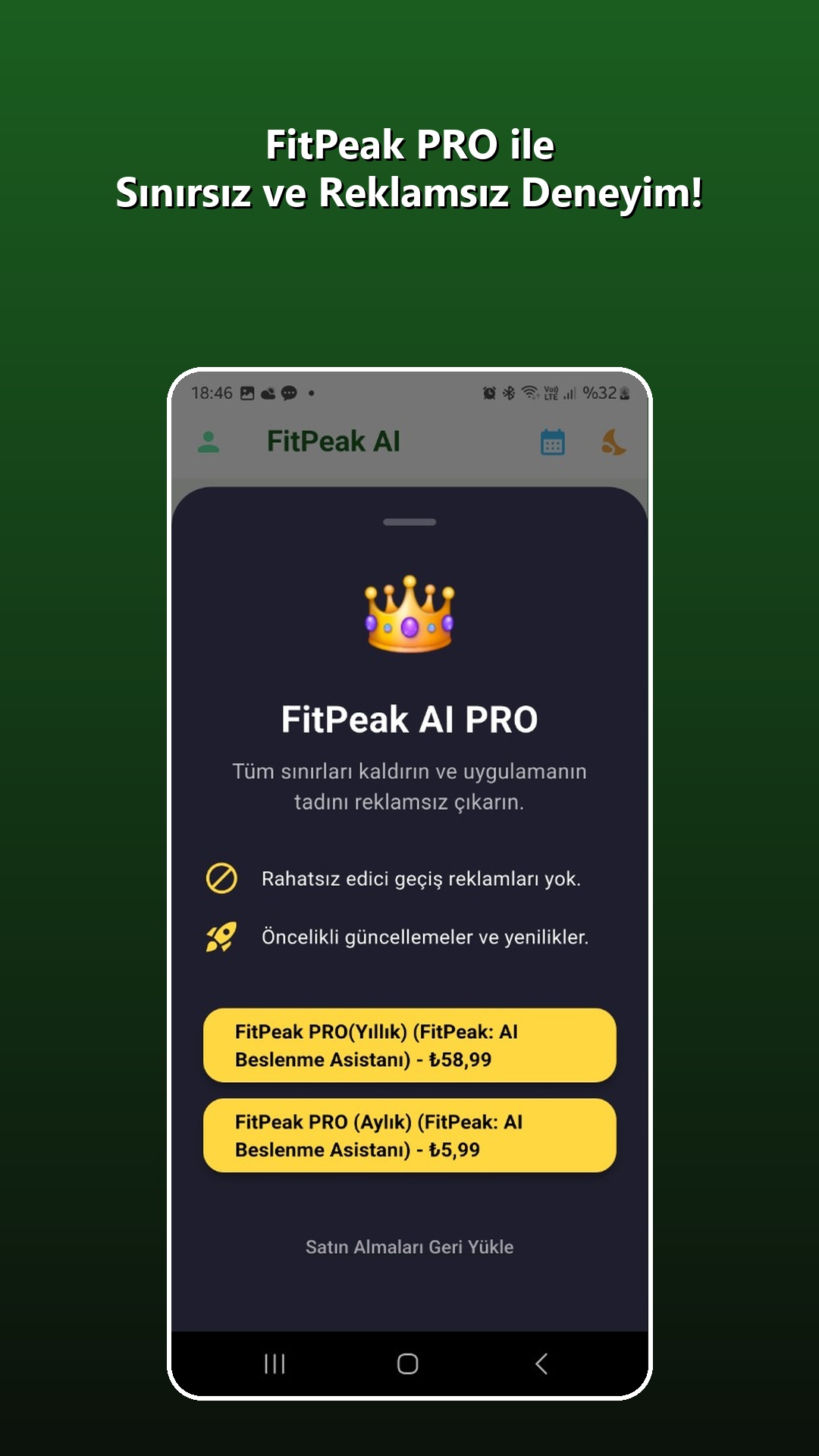
PRO removes interstitial ads and provides priority access to new features. Current plans and prices are always shown on the in-app purchase screen.
View FitPeak on Google PlayFrequently asked questions
Start here whenever you need help.
How do I change my calorie target?
Open the profile icon in the top-left corner, update your weight, target weight or target pace, then save.
What if I cannot find a food?
Use Manual Entry to add its name, calories and any macros you know. It works in your tracking immediately and may join the shared FitPeak food list after review.
Where can I see previous days?
Tap the calendar icon in the top-right corner of the dashboard to open Weekly History.
How do I restore a PRO purchase?
Use “Restore Purchases” on the PRO screen.